From topic to finished episode
StudioGenWorks is a production studio for your channel. It writes the script, voices it, generates the visuals, cuts the timeline and renders the episode, using today’s best AI models on one prepaid balance.
- No API keys to manage
- Pay per episode, not per seat
- Failed generations are free
How it works
One pipeline, from idea to upload
Each channel is a show with its own look and voice. Each episode runs through the same five steps, and you can step in at any of them.
Give each series its own style, voice, rules and on-screen hosts. Every episode follows them.
StudioGenWorks writes a scene-by-scene script in your channel’s voice. Edit anything before going on.
Narration, images, video clips, music from your library and captions, generated scene by scene.
Trim, reorder, swap a clip or re-roll one scene without redoing the rest.
Export a finished MP4 with a suggested title, description and tags for YouTube.


Episode styles
Four ways to make an episode
Pick a style per episode. Avatar styles use hosts you create or import, so a channel can keep the same presenter for every show.
Video scenes
A generated clip for every scene under a single narrator. Good for explainers, history and documentary-style channels.

Presenter in the scene
Your avatar host appears inside each generated scene instead of floating on top of it.
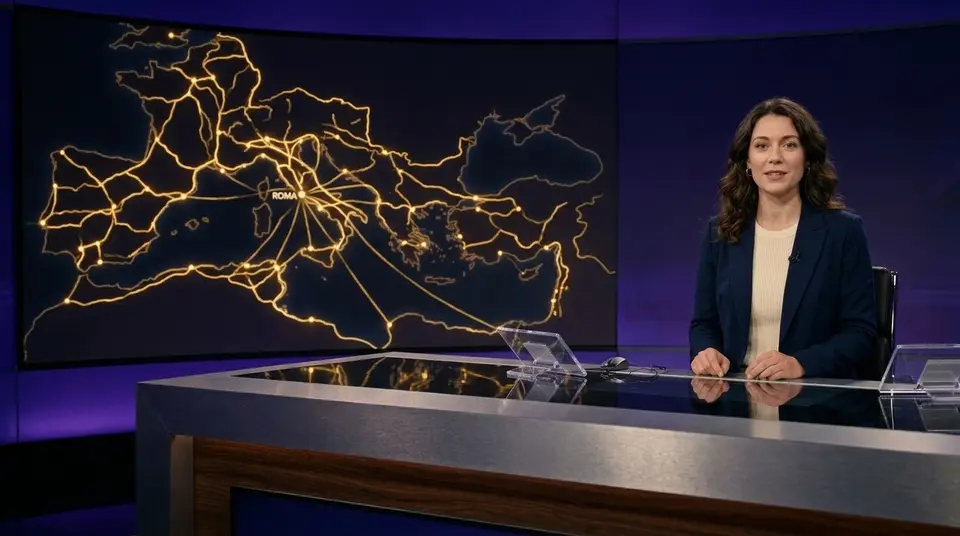
News set
A studio backdrop with your host at the desk. Layouts for news, interviews, podcasts and debates.

Custom edit
Skip generation and build an episode on the timeline from your own clips, images, audio and captions.
Bring your own footage
Your footage, plus AI where you need it
Before anything is generated, pick a source for each scene: your own clip, stock footage, a still image, or a new clip from your tier’s model. Only the scenes you send to generation are made and charged.
- Pay only for what’s generated. Your own clips cost nothing to generate. A 3-minute Standard episode is about $27, or about $14 when 40% of it is your own footage.
- Keep it personal. Film the parts only you can, and let AI fill the B-roll, intros and gaps in between.
- See the saving first. The estimate updates as you change each scene’s source, before anything runs.
- Works from chat too. Tell your assistant “use my clip for scene 3”.
Choose a source for each scene and see the estimate change
 Scene 1My clip · via-appia.mp4via-appia.mp4
 Scene 2Generate · Veo 3.1 Fast · 129 credits129 credits
 Scene 3My clip · dig-site.mp4dig-site.mp4
 Scene 4Stock · Free stock footageFree stock
 Scene 5My clip · forum-dusk.mp4forum-dusk.mp4
 Scene 6Generate · Veo 3.1 Fast · 148 credits148 credits
Pick a different source for any scene above. The other 16 scenes stay as they are.
Try the studio
A real editor, not a black box
Every episode opens on a timeline, with scenes, narration, music, sound and captions on their own tracks. This one works: drag clips around, trim them, delete one, pull new footage in from the bin, then press play.








- Space
- Play or pause
- JKL
- Play backwards, pause, play forwards (press again to go faster)
- ←→
- Move the playhead a second (with ⇧, five)
- ↑↓
- Jump to the previous or next cut
- S
- Split the clip at the playhead
- ⌘C⌘X⌘V
- Copy, cut, paste
- ⌘D
- Duplicate
- Delete
- Delete the selected clip or sound
- ⌘Z⌘⇧Z
- Undo, redo
- ⌥←⌥→
- Move the selected clip
- N
- Snapping on or off
- M
- Sound on or off
- ?
- Show these shortcuts
Drag to reorder · drag either edge to trim · S splits at the playhead · right-click a clip for moreTap a clip to edit it · press and hold to drag it · drag an edge to trim
A demo with sample clips. Generating is switched off and nothing is saved, so a refresh starts it over. The beta’s screens may look different.
You stay the director
Automated where it helps, in your hands where it counts
Click a still to animate it or keep it still.
Approve images before they move
Generate stills first, then animate only the scenes that need motion. You pay for video where it matters.
Mix in stock footage
Blend royalty-free stock with AI clips. Every 10% of stock trims about 10% off the video cost.
Kept Take 1
 Kept
Fix one scene, not the episode
Re-roll a single clip, line of narration or image and keep everything else as it is.
Captions that follow the voice
Word-timed captions, with speaker labels when two characters talk.
- Script12
- Narration37
- Video clips2,660
- Captions3
- Render15
A price before every step
See the estimate first. You’re charged what each step actually costs, and failed generations are free.
Made for channels
Link your YouTube channel to see each episode’s views and watch time without leaving the studio.
Works with your AI assistant
Run the studio from Claude, ChatGPT or Codex
Connect StudioGenWorks once and ask for episodes in plain language. Your assistant uses the same channels, models and balance as the app.
- Estimate, then confirm. Paid steps show their cost and wait for your go-ahead.
- Daily spending caps on every connection, and you can revoke one any time.
- Free to look around. Browsing channels, episodes and your library costs nothing.
Pricing
Pay per episode. No subscription.
Buy credits and spend them as you go. One credit is one cent. Here’s what a 3-minute episode costs in each tier.
| Tier | What it uses | Credits | About |
|---|---|---|---|
| Draft | Claude Haiku, ElevenLabs Flash, Seedance 720p, 30% stock footage | 620 | $6.20 |
| Standard | Claude Sonnet, ElevenLabs Multilingual, Veo 3.1 Fast, 20% stock footage | 2,727 | $27.27 |
| Premium | Claude Opus, ElevenLabs Multilingual, Veo 3.1, an AI image per scene | 6,851 | $68.51 |
| Avatar | A HeyGen presenter on screen most of the time, with B-roll | 575 | $5.75 |
Mix and match models in the Custom tier and the estimate updates as you choose. Rendering is 5 credits per finished minute.
Scenes that use your own clips or stock footage aren’t charged for generation. Uploads count toward your storage: 10 GB is included, then 10 credits per GB a month.
Failed or blocked generations are free. Purchased credits last 12 months. Beta prices; they may change before public launch.
Invite-only beta
Help shape StudioGenWorks
We’re opening to a small group of creators in December and inviting more as we go. Beta creators get starter credits, a direct line to us and a say in what we build next.
- Starter credits to make your first episodes.
- A direct line to the team. Questions answered within one business day.
- Priority on what you need, whether that’s a format, a model or a workflow.
You're on the list
We're inviting creators in small groups from December. Your invite will come by email.
FAQ
Questions creators ask
When does the beta open?
We’re inviting creators in small groups from December. Join the waitlist and we’ll email you when your invite is ready.
Do I need my own API keys?
No. StudioGenWorks runs the AI models on its own accounts. You buy credits once and spend them across script, voice, video, avatars and captions.
How much does an episode cost?
It depends on length and the models you pick. A 3-minute episode is about $6 in Draft, $27 in Standard and $69 in Premium. Scenes that use your own clips aren’t charged for generation, so a Standard episode that’s 40% your footage is about $14. You see the estimate before anything runs.
What happens when a generation fails?
If a model fails or blocks a generation, you’re not charged for it. If you choose to re-roll something you didn’t like, that re-roll is charged like any other generation.
Is this for mass-producing videos?
No. It’s built for creators who want to ship a consistent series faster and still review every script, image and clip. Platforms like YouTube don’t reward repetitive, low-effort uploads, and neither do viewers.
Can I use it from Claude or ChatGPT?
Yes. Connect StudioGenWorks to Claude, ChatGPT or Codex and run the same pipeline in chat. Paid steps always show an estimate and wait for your go-ahead.